By Ahmed Moussa
A new starter can have a working login and a full induction calendar while using a chair still adjusted for its previous occupant. They have found the mute button; the lever under the seat remains a mystery. At home, the same person may be balancing a laptop on a table nobody has discussed with them.
Putting equipment in place leaves an important part of onboarding unfinished. Someone needs to help the employee use it, check how the pieces work together and follow through when something does not fit. A practical handover makes those tasks visible.
For HR, the useful change is to put a short, supported walkthrough into the induction, with one person responsible for following up. The employee should leave knowing what they can adjust and where to get help.
The employee should leave knowing what they can adjust and where to get help.
Ahmed Moussa, founder, Paperloops
Four gaps to close
The first mistake is handing over equipment without explaining it. Two chairs can look similar and have different controls. Sending a generic posture guide does not tell someone how to release their particular backrest. The Health and Safety Executive (HSE) lists furniture adjustment, desk arrangement and reporting problems in its training guidance.
The second is checking each item separately. A chair may be adjustable, yet its armrests stop the employee getting close enough to the desk. A raised laptop may put its keyboard out of easy reach. Check the arrangement during an ordinary task, such as typing and reading from the screen.
The third is treating an office induction as coverage for homeworking. For workers covered by Great Britain's display screen equipment (DSE) rules, HSE says assessments should cover both home and office. DSE means equipment such as computers and laptops. Existing home furniture may be suitable; establish what works before deciding what needs changing.
The fourth is closing the task when equipment arrives. Delivery confirms that a parcel reached someone. It does not establish whether the missing part fits, whether the employee can use it or whether the original difficulty has been resolved.
Before the first working day
Ask where the employee will regularly work, whether they will share desks and what their work involves. Discuss any individual adjustment needs privately. Identify what is already available at each location and arrange any necessary support before the relevant work begins.
HR can coordinate this without becoming the technical expert. Nominate one contact, such as the line manager, to keep track of outstanding actions across IT, facilities and the organisation's assessment or support services. Book the walkthrough with someone who understands the equipment.
Let the employee try the controls
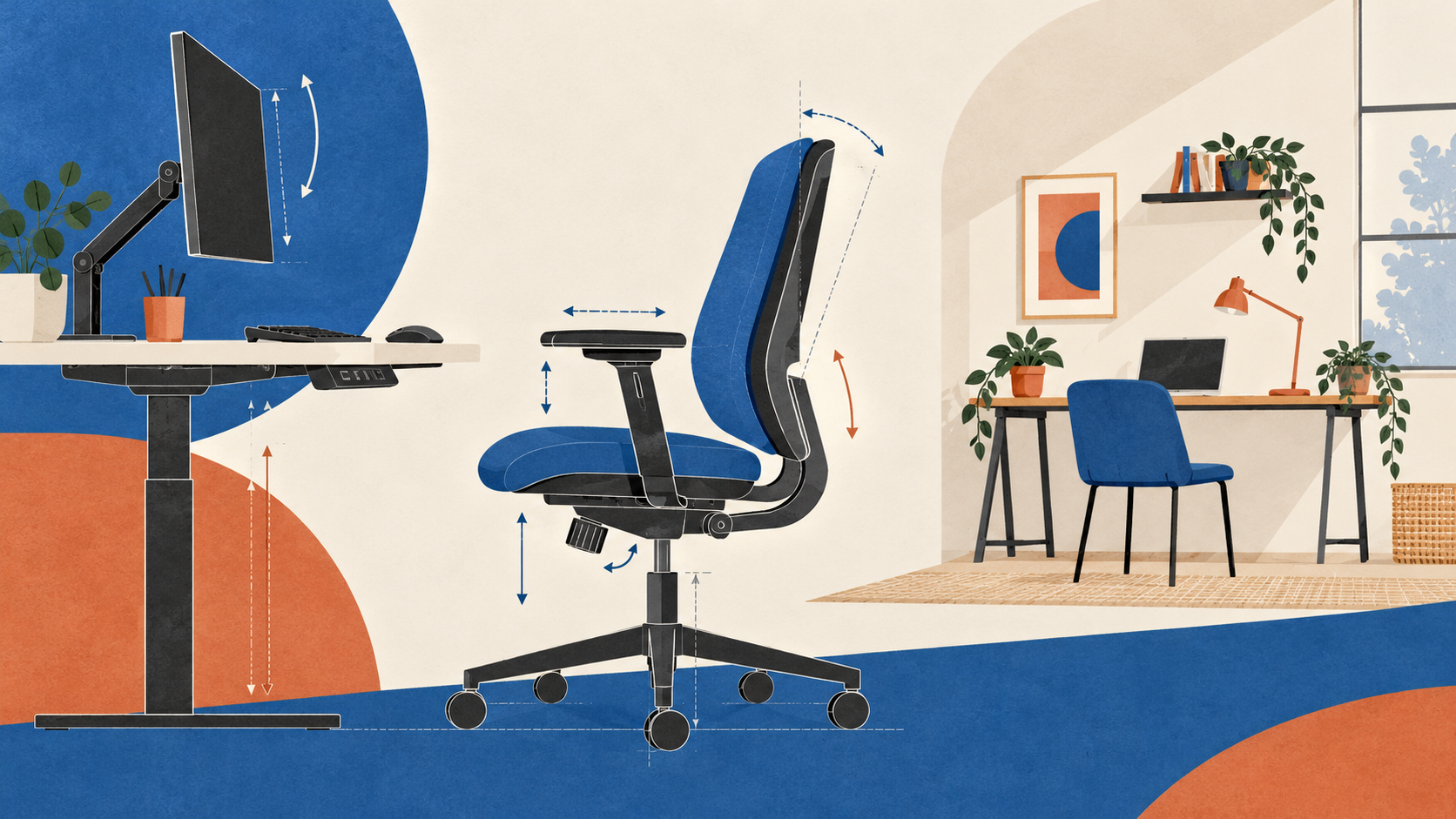
At the workstation, work through seat height, back support and the relationship between the chair and desk. Check that the employee can reach the keyboard and mouse comfortably and read the screen without awkward positioning. Look for reflections and space to move. HSE's setup guidance provides a useful starting point, including separate input devices for prolonged laptop use.
Then invite the employee to try a relevant adjustment themselves. If the explanation has not worked, use the instructions for that model and try again together. Keep those instructions somewhere the employee can readily find. At a shared desk, explain which settings they may need to reset each time.
If several chair models are in use, show the employee how to identify theirs and find the matching instructions. Familiarity with one set of controls may not transfer to a different model.
For homeworking, arrange the walkthrough remotely if appropriate, with help available for anything that cannot be resolved that way. Discuss how the working day allows breaks or changes of activity, too. An adjusted workstation still needs a workable routine.
This handover supports the employer's DSE assessment and training arrangements; it does not replace them or demonstrate compliance on its own. If adjusting the equipment does not solve a problem, use the organisation's assessment or specialist support route.
Keep unresolved items open
If an essential keyboard is missing, record who will obtain it, by when, and what suitable working arrangement will apply meanwhile. The coordinator should chase a missed date and keep the employee informed.
Arrange a review after initial use, perhaps at the end of the first week. That timing is a practical suggestion, not a regulatory deadline. Make clear that problems can be raised sooner, and confirm that any remedy works before closing the action.
Make the review specific: ask which control remains unclear, whether the keyboard and mouse fit alongside normal work materials, and what changes when the employee moves between locations. A hybrid starter may have resolved the office setup while still waiting for equipment at home. Keep those actions separate so each location gets the attention it needs.
A checklist for the onboarding record
- Record every regular work location and whether the furniture is shared.
- Discuss tasks, available space and individual adjustment needs.
- Confirm agreed equipment and support are ready at each location.
- Check chair, desk, screen and input devices together, including reach and reflections.
- Invite the employee to practise relevant adjustments, including resetting a shared workstation.
- Show where to find instructions for the actual equipment models.
- Record missing items or difficulties and agree suitable interim arrangements.
- Give each open action an owner and date; name one coordinating contact.
- Book a follow-up, explain how to report problems sooner and verify remedies before closing actions.
For the next starter, add a workstation walkthrough beside the equipment issue date in the induction calendar. Ask them to try the chair controls and tell you what still needs attention. Keep anything unresolved on the record, with a named owner and a date. The next conversation can then start with what has changed.
Ahmed Moussa is the founder of Paperloops, a Dutch furniture brand based in Bussum. The company offers a range of office chairs and sit-stand desks.