
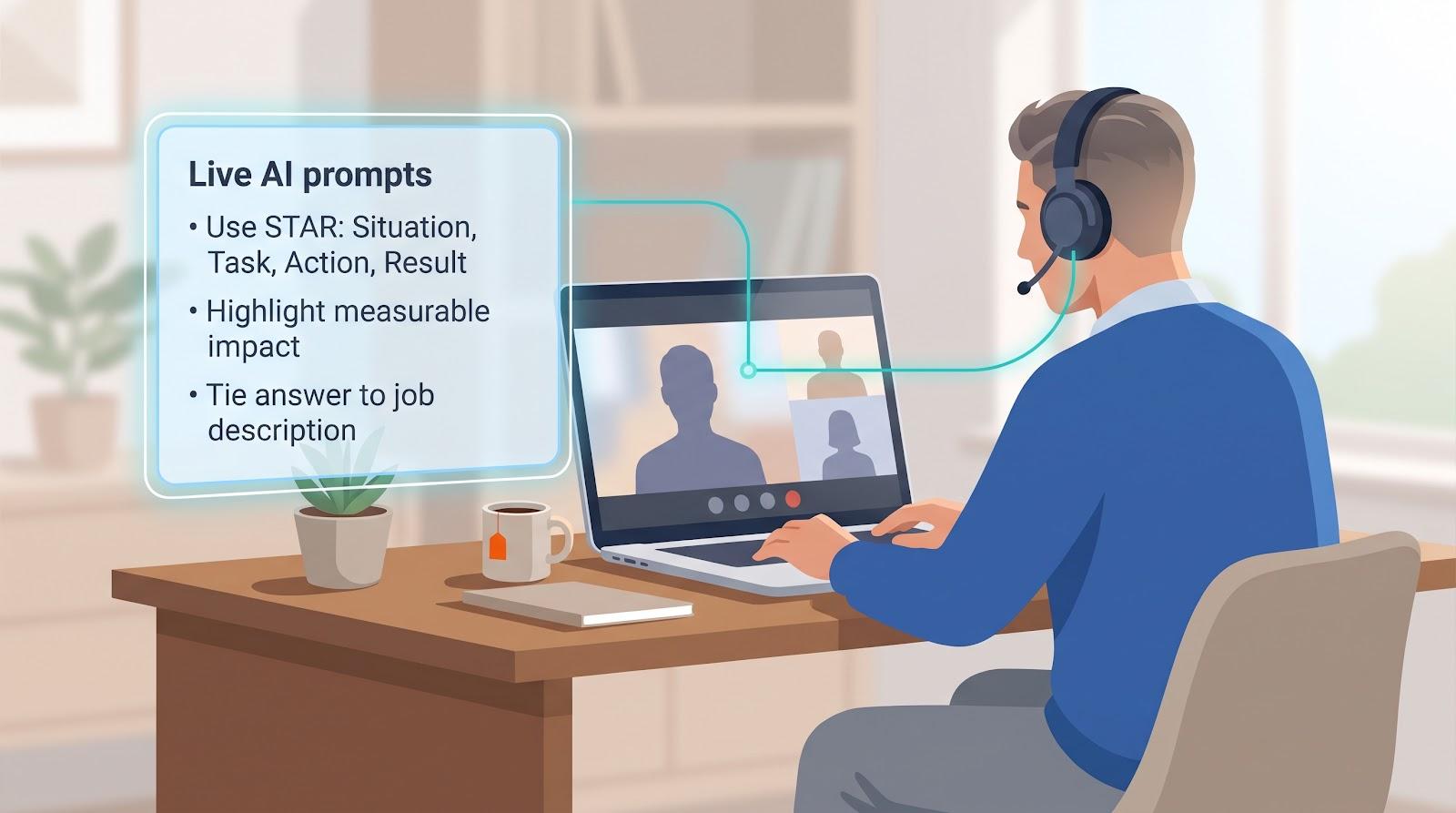
You’re looking for the best AI sidekick for live job interviews, but one detail matters more than any feature: will the assistant still hear the recruiter once your headphones seal the mic? Most round-ups mix prep apps with live copilots, forcing you to guess. In this guide, we separate the two and compare six real-time assistants on audio path, screen-share risk, privacy, and month-to-month cost, so you can pick a résumé-aware helper without ever asking, “Sorry, could you repeat that?”
How we evaluated the best AI for job interviews
Every pick is compared on seven criteria grounded in real interview-day challenges.
Weights
-
Audio path and real-time accuracy: 25%
If the app can’t hear the interviewer through your headphones, nothing else matters. -
Naturalness: 20%
Does the prompt reflect your résumé and the job description, or is it boilerplate? -
Setup & compatibility: 15%
Operating systems, meeting platforms, screen-share quirks. -
Format coverage: 10%
Behavioral, technical, coding, case, phone. -
Privacy & data handling: 10%
A hidden overlay is meaningless if transcripts live forever in the cloud. -
Pricing value: 10%
True month-to-month cost, not annual equivalents. -
Reliability evidence: 10%
Published latency numbers, uptime logs, user-reported failures.
How we compared them
We checked each criterion against the vendor’s own documentation. Interview Copilot (interviewcopilot.ai), for example, says its desktop app hears each question over system audio and streams an answer in under a second, while its overlay stays hidden in a window or full-monitor share.
Evidence ladder
-
Official documentation and privacy policies
-
Independent academic or journalistic sources
-
User anecdotes for language only (not for verdicts)
The six picks at a glance
Short on time? The table below compares audio handling, pricing, and privacy so you can shortlist quickly.
|
Rank |
Tool |
Best for |
Headphones work?* |
Platforms |
Coding help |
Free live test |
True monthly price (USD)† |
Key privacy gap |
|
1 |
Interview Copilot |
Résumé-grounded prompts |
Yes |
macOS, Windows |
Included |
Free download and test |
$49 |
Audio streamed, not stored |
|
2 |
Final Round AI |
End-to-end prep → review |
Yes |
macOS, Windows |
Included |
None |
$25§ |
Selected data may train models |
|
3 |
Verve AI |
Free trial + 55 languages |
Yes (desktop) |
Browser, macOS, Windows, mobile |
Included |
3 × 15 min |
$16.99§ |
Policy last updated 2024 |
|
4 |
Beyz AI |
Mixed phone + coding rounds |
Verify |
Browser + desktop overlay |
Plan-dependent§ |
CTA only |
$49.99 |
Generic privacy page |
|
5 |
Sensei AI |
No-install browser option |
Verify (tab audio) |
Browser |
Included |
15-min sessions |
$89 |
Keeps data while account exists |
|
6 |
Interview Sidekick |
Detailed audio docs |
Yes |
macOS, Windows, Chrome |
Limited |
Free Basic plan |
$80± |
Model-training use not stated |
* “Yes” means the vendor documents direct system audio; “Verify” means the vendor does not document it, or browser-tab routing may break on screen share.
† Month-to-month charge at checkout, not annual equivalent.
§ Lowest price may require multi-month billing.
± With a discount code; Sidekick lists $160 a month before it.
We’ll explain these details and highlight any marketing gaps in the next sections.
1. Interview Copilot: résumé-grounded live guidance
Interview Copilot (interviewcopilot.ai) captures system audio and streams an answer in under a second, according to its product page. It keeps listening even when your headphones isolate the mic. The company says interview audio is streamed for transcription, not stored; final transcript segments and analyzed screenshots stay in your account.

Interview Copilot website
Copilot tailors prompts to your résumé and the job description you paste in.
-
Behavioral questions appear in a compact STAR outline.
-
Coding rounds surface complexity notes and trade-offs.
-
A shortcut sends a coding task, diagram, document, or job post on screen for analysis.
Glance Mode reduces each suggestion to bite-sized bullets, helping you avoid obvious reading pauses.
Setup is quick: install the app, grant screen-recording permission, and join Zoom, Google Meet, Teams, or Webex. No meeting bot appears in the participant list.
Pricing: $49 month-to-month or $149 per year, with unlimited sessions and all features included. The app is free to download and test; a live interview needs a subscription.
Watch-outs
-
The company says it never trains public models on your interview data; read its privacy page before you upload a résumé, as you would with any tool here.
-
As with every live assistant, run a mock interview with your exact headphone and screen-share setup before the real call.
Choose Copilot if you need real-time, résumé-aware prompts for mixed behavioral and technical interviews.
2. Final Round AI: best all-in-one interview suite
Final Round AI covers every phase: practice the night before, get live prompts during the call, and read an automatic debrief that shows what landed and what stalled.

Final Round AI website
Audio design
The desktop app (macOS 14.4+ and Windows) listens to the interview audio with your permission and runs alongside Zoom, Google Meet, Teams, and coding pads such as CoderPad and HackerRank.
Workflow extras
-
Practice interviews with an AI interviewer
-
Screen Help, which reads coding prompts and system-design briefs shown on screen
-
An automatic debrief after each session
A preflight screen sets the audio source and asks for a short voice sample so the app can tell your voice from the interviewer’s. For phone screens, Final Round says to put the phone on speaker near your laptop so the app hears the call through your computer mic.
Pricing
The landing page advertises from $25 per month, but that rate is the yearly plan billed annually. The pay-monthly plan is $150, and there is no free live-session trial.
Privacy note
Depending on the features you use, the privacy policy covers session audio recordings, screen captures, and transcripts, and it allows selected customer data to train its models. You can contact the company to exercise access and deletion rights.
Choose Final Round if you want a single workspace for prep, performance, and review, and if you’re comfortable trading some data for that convenience.
3. Verve AI: best free live test and language coverage
Verve AI lets you try the service before paying: three 15-minute live sessions and five mock interviews without a credit card.
Platform reach
Use a browser, native macOS or Windows app, or mobile client. Verve’s live transcription covers 55-plus languages. Handy if your next round flips from English to Spanish or Hindi.
In-call features
-
Detects each question and maps it to your résumé.
-
Suggests bullet-point answers instead of full scripts.
-
Coding and online-assessment modes add code snippets, big-O hints, and edge-case reminders.
Privacy gap
The policy (last updated 2024) doesn’t explain how long audio or transcripts stay on the server or whether they train future models. No independent latency data is available.
Pricing
-
Standard: from $16.99 a month billed annually, for five 60-minute copilot sessions a month.
-
Pro: from $34.99 a month billed annually, for unlimited copilot sessions of up to 90 minutes.
Month-to-month billing costs more, so check the figure at checkout.
Choose Verve if you want a generous free trial and multilingual support, but look elsewhere if a current, detailed privacy policy is crucial.
4. Beyz AI: best for mixed phone and coding rounds
Beyz AI runs in a browser or as a Mac and Windows desktop app that, the company says, stays invisible to Zoom, Meet, Teams, and screen recorders. Its homepage does not spell out how each mode picks up interview audio, so run a test call with your headphones before the real interview.
Modes
-
Interview assistant: real-time answer hints tailored to your profile
-
Coding assistant: logic breakdowns and time and space complexity notes
-
Cheat sheets: role-specific notes to glance at during the call
Every plan includes a phone interview assistant, and Beyz publishes a setup guide for phone screens.
Pricing
-
Monthly plan (no coding assistant): $49.99 month-to-month
-
God plan (coding included): $32.99 per month billed quarterly; Titan plan (coding included): $24.99 per month billed semi-annually
No true monthly option includes coding, so you must pre-pay for technical help.
Privacy gap
The policy does not specify transcript-retention length or whether recordings train future models. Assume data persists until Beyz states otherwise.
Choose Beyz if your interview plan mixes phone calls, behavioral chats, and LeetCode-style coding, and if you are comfortable locking in a multi-month plan for technical features. Budget-minded candidates focused only on behavioral prep will find cheaper options elsewhere.
5. Sensei AI: best no-install browser option
Sensei AI runs entirely in Chrome, Edge, or Safari, so you can open it on a work laptop without asking IT for permissions.
How it works
Paste your résumé, upload the job description, and choose a tone: concise, enthusiastic, technical, or story-driven. During the call Sensei captures audio from the meeting tab and shows bullet-point prompts you can voice naturally. Its privacy policy (updated March 2026) says personal information is kept for as long as your account exists.
Limits to test first
Browser routing can fail if you share your full monitor or switch to the Zoom desktop app. Try the free 15-minute tier before relying on it for a screen-share round.
Pricing
-
Free: 15-minute copilot sessions
-
Pro: $89 month-to-month
-
Annual: $24 per month when paid upfront
We found no desktop app on Sensei's site, so expect the browser trade-offs at every tier.
Choose Sensei if you prefer zero-install convenience and can accept the screen-sharing risks. Pick a native app if you need guaranteed stealth during coding whiteboards or slide presentations.
6. Interview Sidekick: best documented system-audio setup
Interview Sidekick shows its wiring up front. Its site explains that the desktop app hears your interviewer directly through system audio, so it will still hear the interviewer while you wear headphones.
Where it runs
-
Native macOS and Windows apps (stealth overlay)
-
Chrome (keep the assistant in a tab you don't share)
-
Phone screens: keep your laptop nearby so its microphone picks up the call
The site lists Zoom, Google Meet, Teams, Webex, CoderPad, HackerRank, LeetCode, and CodeSignal among the platforms it has tested.
Coaching style
Answer suggestions are tailored to the question, your résumé, and the job description, and Code Mode handles screenshots of coding questions. A free Basic plan with no credit card covers limited prep sessions before you pay.
Pricing
Ultimate Sidekick lists at $160 per month; at last check a 50% code brought it to $80 per month. Watch for promotions; the figure shifts.
Privacy note
The site's FAQ says audio is used only in-session and transcripts aren't shared with employers, recruiters, or third parties. Its privacy policy (last updated July 2024) says data is kept as long as the company deems necessary and may not be deleted on request, and it does not say whether your data trains models.
Pick Sidekick if you want detailed setup docs and can justify paying a premium for that confidence.
Prep-only alternatives that may be safer and more useful
Live copilots can raise policy flags with some employers. If you want to stay in the clear, or just need reps before the big day, these three practice tools focus on preparation, not real-time whispering.
Yoodli: speech and delivery coach
-
Free tier: 5 lifetime practice sessions
-
Paid: Pro $8 per month billed annually (up to 10 sessions a week); Advanced $20 per month billed annually (unlimited)
Scores pacing, filler words, and clarity so you can hear and fix your own “um” storms.
Huru: unlimited AI video mocks
-
Free for everyone, with scored feedback on every answer across 242+ career roles
Paste a job description and practice on camera; blunt feedback beats a bathroom-mirror run-through.
interviewing.io: FAANG-style technical practice
-
Mock interviews in coding, system design, machine learning and behavioral formats
-
Session prices are listed on the site
Closest pressure match to a real onsite loop if your budget allows.
None of these tools feed answers into a live call, so they stay outside the ethical gray zone. Use them to tighten stories, polish code, and build confidence before deciding whether a stealth copilot is worth the added risk.
Why some tools work through headphones and others do not
On a video call, audio can reach your computer in three distinct ways. Your copilot succeeds or fails based on which path it can hear.

-
Same-device system audio
Native apps such as Interview Copilot and Final Round hook into macOS or Windows system sound. Whatever you hear in your headphones, the assistant hears too, so reliability is highest here. -
Browser-tab audio
Sensei AI and the browser version of Verve capture only the audio in the active meeting tab. Headphones are fine, but if you switch to Zoom’s desktop app or share your full screen, the feed may drop unless you share the tab explicitly. -
External-phone audio
A separate phone call sends the interviewer’s voice to your phone, not your computer. Unless the phone is on speaker or routed through Google Voice, the assistant hears nothing.
Quick test before the real call
Run a short mock interview with your exact setup: headphones, screen share, even a phone on the desk. If prompts arrive on time, you’re set. If they do not, adjust the routing or pick a different tool.
Screen-share privacy is not the same as staying invisible
Copilot vendors often promise that an overlay “stays hidden,” but hidden from whom changes by scenario.

Level 1: window share
Share only the Zoom or Meet window, and native overlays such as Interview Sidekick remain invisible to the interviewer. This is the simplest win.
Level 2: full-monitor share or cloud recording
The entire screen now streams out. Interview Copilot says its overlay does not appear in shares, recordings, or screenshots whether you share a window or a whole monitor. Other apps may flash into view when you resize a prompt. Test this setup before any panel that requires slide sharing.
Level 3: managed devices or proctoring
Company laptops can run security agents that flag injected windows or screen-capture APIs. Interview Copilot itself advises against using a work or school laptop, or any computer an organization manages, because those often run monitoring software, so treat “undetectable” claims at this level as marketing language.
Practical checklist
-
Read the vendor’s wording. “Hidden from screen share” often covers window shares only.
-
Record a private full-monitor share and look for overlay leaks.
-
Using a company-issued laptop? Assume visibility and confirm the policy with HR.
Invisible overlays reduce risk, but compliance depends on context. Test, record, and verify before you rely on any stealth promise.
Privacy questions before uploading a résumé
AI interview tools often start by asking for your résumé. Before you click “Upload,” run through this six-point check:

-
Does the app record audio, and can you turn that off?
A fixed recorder means every salary detail or NDA topic could live forever on someone else’s server. -
How long are transcripts and screenshots kept?
Look for a stated retention window (for example, “30 days”) or a delete-on-demand option. “Indefinitely” is more common than vendors admit. -
Can your data train the company’s models?
Many policies grant “service-improvement” rights. Make sure any opt-out covers training and analytics. -
Is account deletion truly self-service?
Some tools let you delete the profile but still keep recordings in a “research corpus.” -
Which third-party AI providers handle the data?
If the service routes content through OpenAI, Anthropic, or AWS, their policies apply too. A transparent vendor will list them. -
Do local laws give you extra leverage?
California’s CCPA and the EU’s GDPR require disclosure, access, and deletion tools. Use those rights if the dashboard falls short.
Treat your résumé like a government ID: share it only when the guardrails are visible and verifiable.
FAQ
What is the “best” AI for job interviews?
It depends on your need:
-
Résumé-grounded live prompts: Interview Copilot
-
End-to-end prep, perform, review: Final Round AI
-
Multilingual free trial: Verve AI
-
Zero-install convenience: Sensei AI
Do AI interview assistants work with headphones?
Yes, when the tool captures system or tab audio from the same computer. Native apps such as Copilot, Final Round, and Sidekick do this by design. Browser-only tools work if the meeting runs inside that tab. Separate phone calls still require speakerphone or a Google Voice route.
Will an interviewer notice?
Long pauses, visible eye tracking, or sudden shifts in answer quality can raise flags. Managed devices and security agents may also expose hidden overlays. Keep prompts short, speak naturally, and confirm the employer’s policy.
Is using AI during an interview considered cheating?
Most companies allow AI for research and rehearsal. Live answer generation is acceptable only if the recruiter or policy says so. When in doubt, ask before the call.
Do free plans last an entire interview?
Usually not. Verve offers three 15-minute live sessions a month, and Sensei’s free copilot sessions run 15 minutes. Plan to upgrade or switch tools for a full 45-minute round.
Which tool helps most in coding interviews?
Final Round AI and Beyz AI overlay code snippets and complexity notes. Specialist products such as Interview Coder are coding-first but were not part of our top-six live-assistant ranking.
Do these tools record the conversation?
Final Round AI’s policy covers session audio recordings and transcripts, depending on the features you use. Copilot says interview audio is streamed for transcription, not stored, and interview data is not used to train public models. Sensei AI’s policy says it keeps personal information while your account exists. Always read the privacy settings and disable recording when possible.
Are AI-generated answers always correct?
No. Misheard questions, hallucinated frameworks, or résumé mismatches still happen. Treat the assistant as a prompt generator; you own the final answer.
Conclusion: AI-aware interviews require clear ground rules
AI interview tools have moved from fringe experiments to common practice. Employers now run AI-driven screenings, and many candidates use copilots or mock platforms to prepare. The key is to stay explicit about what you’ll use and when.
-
Pick your layer of help first.
Preparation only? Live prompts? Or both? -
Match audio routing to your setup.
System-audio apps work through headphones; browser-tab tools do not survive a switch to the Zoom desktop app; phone calls need speakerphone or Google Voice. -
Read the privacy policy like a contract.
Look for four lines: recording toggle, retention window, model-training clause, and a self-serve delete button. If any are missing, proceed with caution.
Used this way, an AI copilot becomes a real-time note-taker and brainstorming aid, not a ventriloquist. Let the software handle boilerplate reminders while you deliver the authentic stories and trade-offs only you can provide. Your next interview is still a conversation between people; these tools should keep it that way, not turn it into a Turing test.